Power and wiring
Battery and load
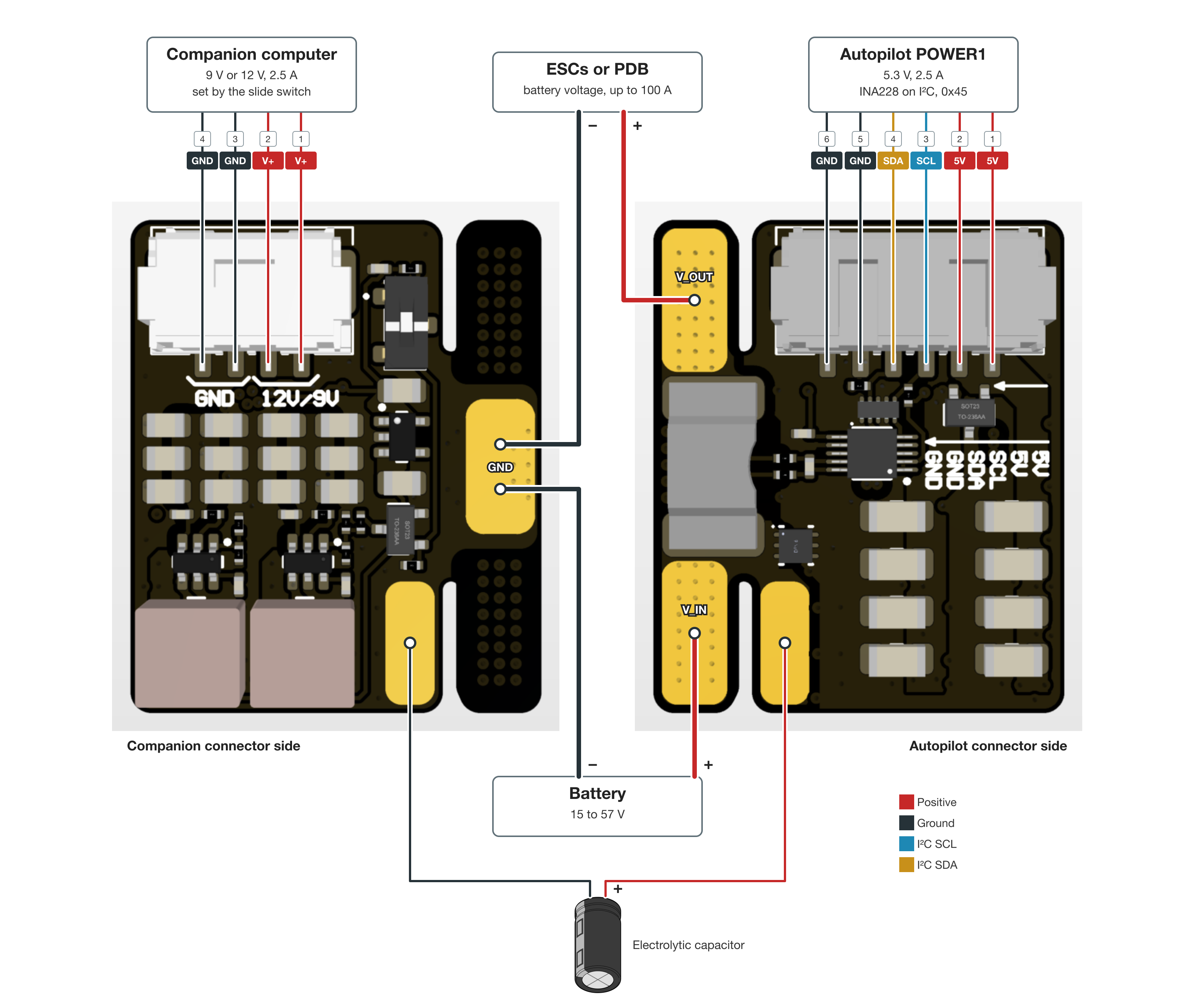
The battery, the load and an input capacitor solder to the tab along one edge of the board. The pads are unlabelled.
| Pad | Side | Position | Connect |
|---|---|---|---|
| V_OUT | autopilot connector | large pad at the connector end | positive lead to the ESCs or the power distribution board |
| V_IN | autopilot connector | large pad at the far end | battery positive |
| Capacitor + | autopilot connector | small pad beside V_IN | positive lead of an electrolytic capacitor |
| GND | companion connector | large pad in the middle | both negative leads |
| Capacitor − | companion connector | small pad at the far end | negative lead of the electrolytic capacitor |
The battery is 15 to 57 V. The rest of the ratings are in Electrical .
Paw works only with the battery on V_IN and the load on V_OUT.
Autopilot power connector
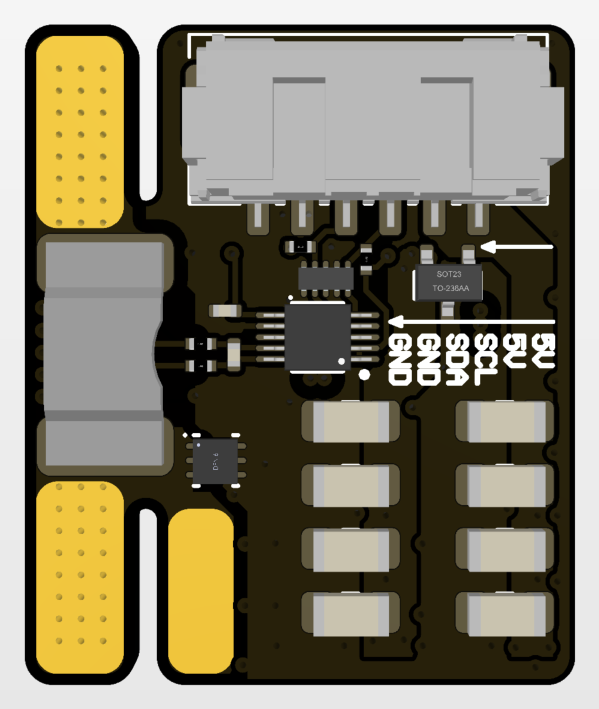
Molex CLIK-Mate, 2.00 mm pitch, 6 pins.
| Pin | Signal |
|---|---|
| 1 | 5V |
| 2 | 5V |
| 3 | SCL |
| 4 | SDA |
| 5 | GND |
| 6 | GND |
Pins 1 and 2 supply 5.3 V at up to 2.5 A. Pins 3 and 4 connect the autopilot’s I2C bus to the INA228 at address 0x45.
The pinout matches the Karu POWER1 and POWER2 ports , so a 6-pin CLIK-Mate cable wired pin to pin connects the two. Connect Paw to POWER1. A second Paw goes to POWER2, see Karu power module .
Companion computer output
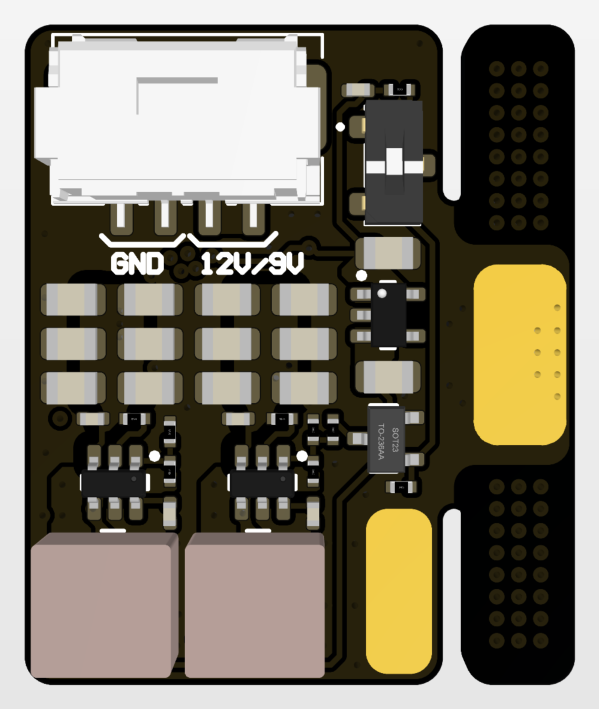
Molex CLIK-Mate, 2.00 mm pitch, 4 pins.
| Pin | Signal |
|---|---|
| 1 | 9 V or 12 V |
| 2 | 9 V or 12 V |
| 3 | GND |
| 4 | GND |
The output supplies up to 2.5 A.
Output voltage
The slide switch beside the companion connector selects 9 V or 12 V on pins 1 and 2. Set it with the battery disconnected, before connecting the companion computer. The 12 V setting needs a 6S or larger battery.
Wiring diagram
The two positive leads solder to the autopilot connector side. Both negative leads solder to the GND pad on the companion connector side. The numbers above each connector are its pin numbers.